Infragistics sold developer components. In 2013, they decided to own the design side too. Existing prototyping tools were click-to-navigate, built for websites, not applications. That mattered because incomplete specs create incomplete software: if a state isn't specified, it doesn't get built, or gets built wrong. Teams needed a prototype an architect could run and jump to a specific state in, so the gaps surfaced before a line of code was written. The goal was prototypes as a means to specify, where the prototype itself becomes the contract engineering builds from.
I owned the product: feature prioritization, specification, UX testing, and final sign-off before anything shipped. Team of 10: 7 developers, 2 senior architects, 1 visual designer. Discovery-led throughout: customer scenario audits, competitive prototyping, dogfooding in Studio as it was built, structured customer testing before each release.
Cross-platform desktop app from scratch: Windows and Mac, identical behavior. The technology stack hit performance walls. And desktop apps carry implicit expectations nobody files as feature requests: drag-and-drop, keyboard shortcuts, context menus, IA that just makes sense.
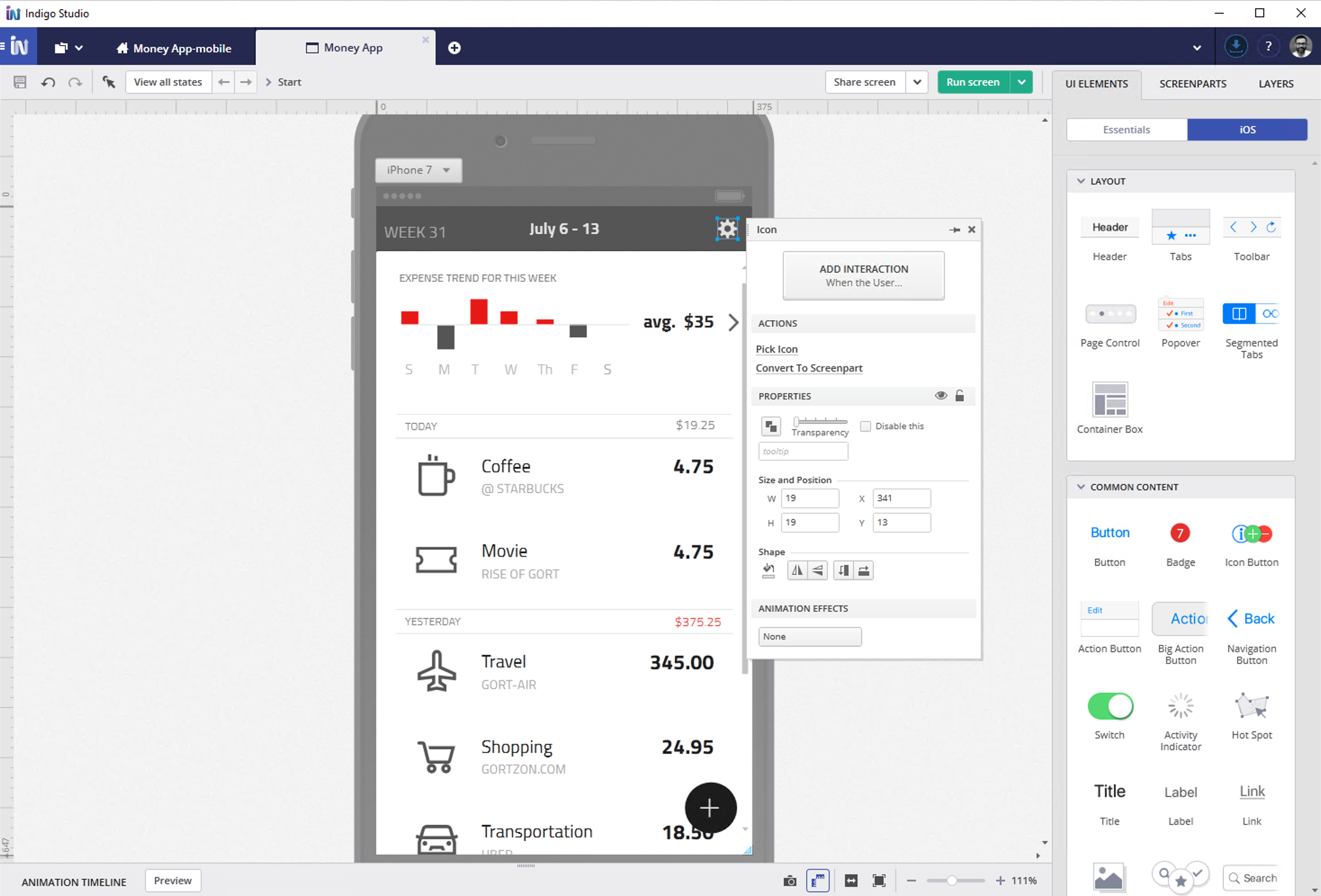
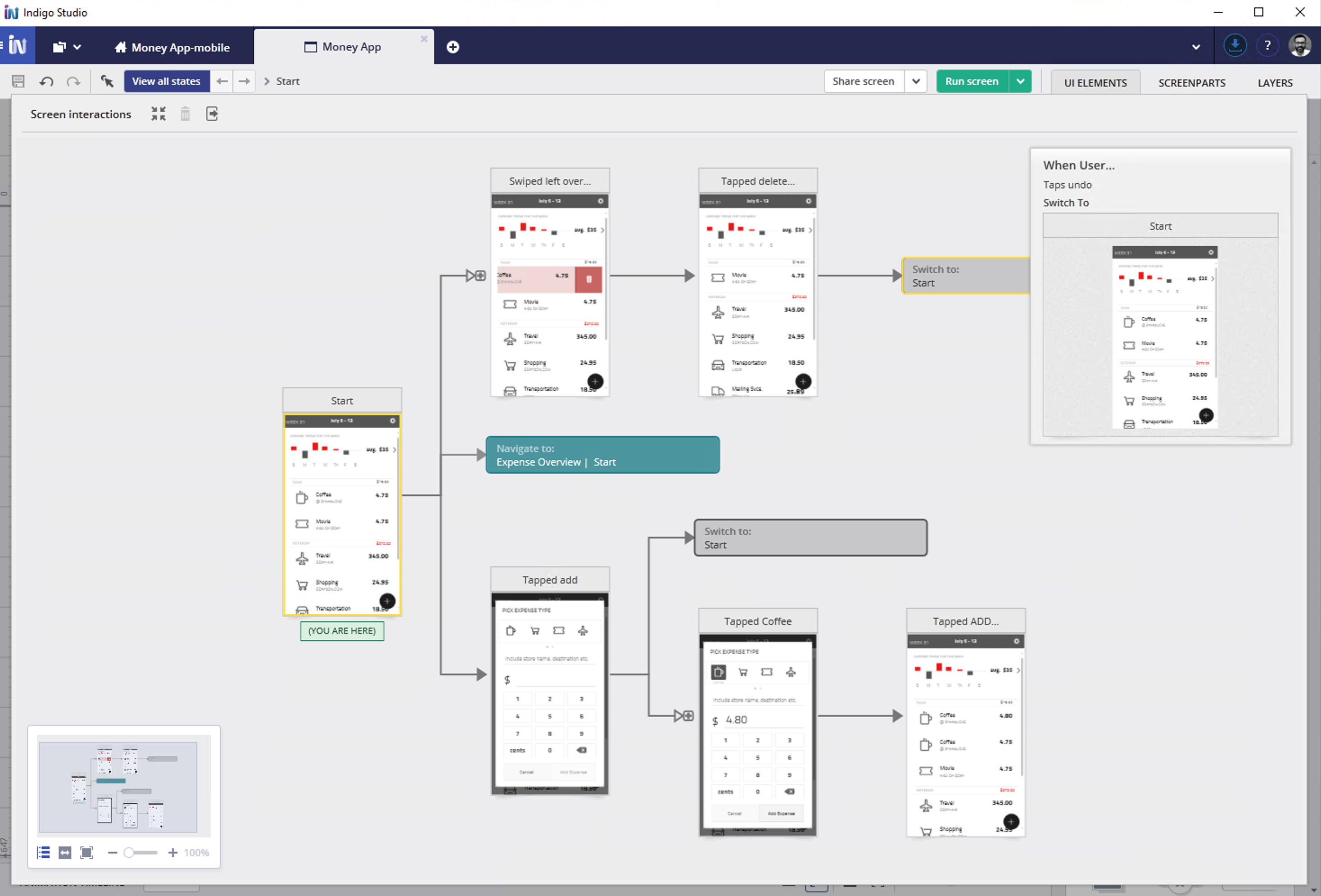
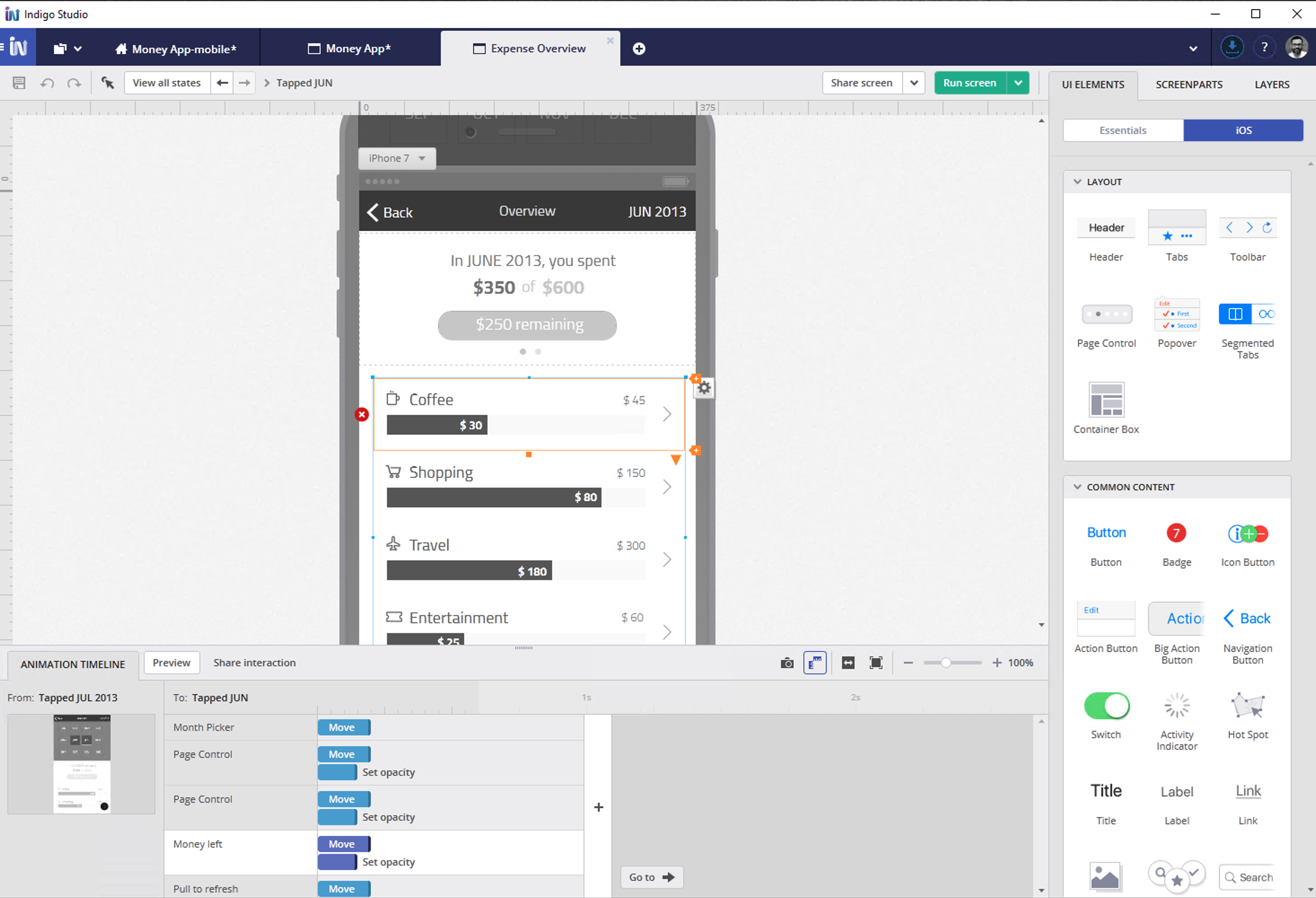
I made the state chart a live, first-class artifact. As designers added interactions and states, the chart updated itself, so there was nothing extra to keep in sync. That state-based approach became USPTO patent 10157046, which I co-invented. For v1, I ruled out cloud sharing, since it needed its own security review and infrastructure work that would have delayed the desktop release. I shipped a desktop tool with exportable HTML prototypes, and cloud sharing came later, holding up across 8+ subsequent releases.
The statemap and interaction timeline together: a live behavioral model that built itself as you designed, and exported as a runnable HTML prototype engineers could inspect and deep-link into.
USPTO 10157046 · co-inventor, state-based UX prototyping