Teams were making design decisions based on what felt right. Designer instinct, stakeholder preference, best guesses. There was no way to know if a flow actually worked before it went to engineering.
I owned the product: scope and feature prioritization, specification, prototyping the vision for the development team, and sign-off before anything shipped. Team shared with Indigo Studio: 7 developers, 2 senior architects, 1 visual designer. Discovery built on prior UX research expertise and competitive analysis: existing tools relied on user panels that enterprise customers couldn't use for private, internal work. I validated prototypes with internal users and Indigo Studio customers, a captive audience already invested in the workflow.
Proper usability testing required scheduling, facilitators, and budget that most teams didn't have, so validation stayed a luxury instead of a regular practice.
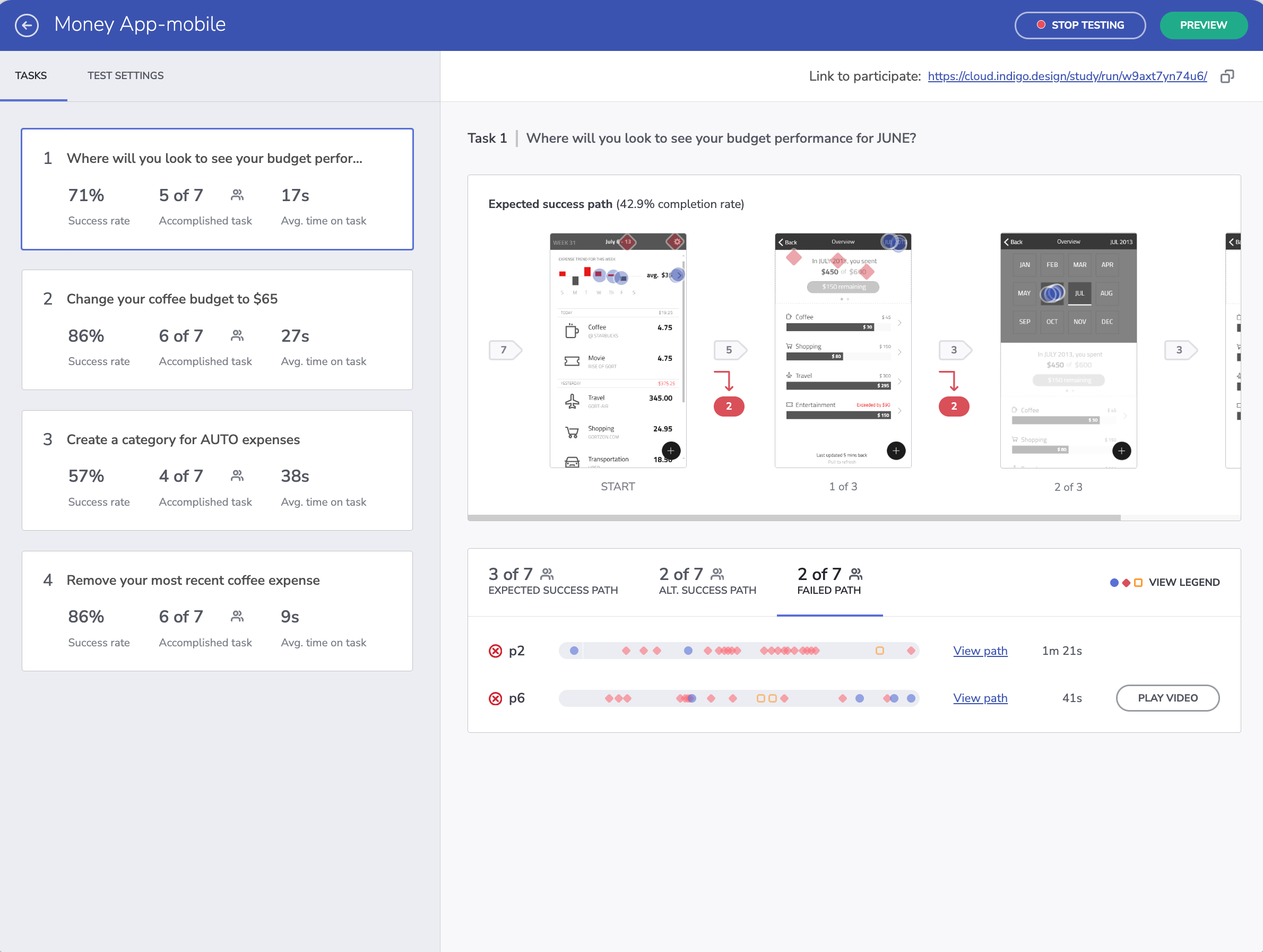
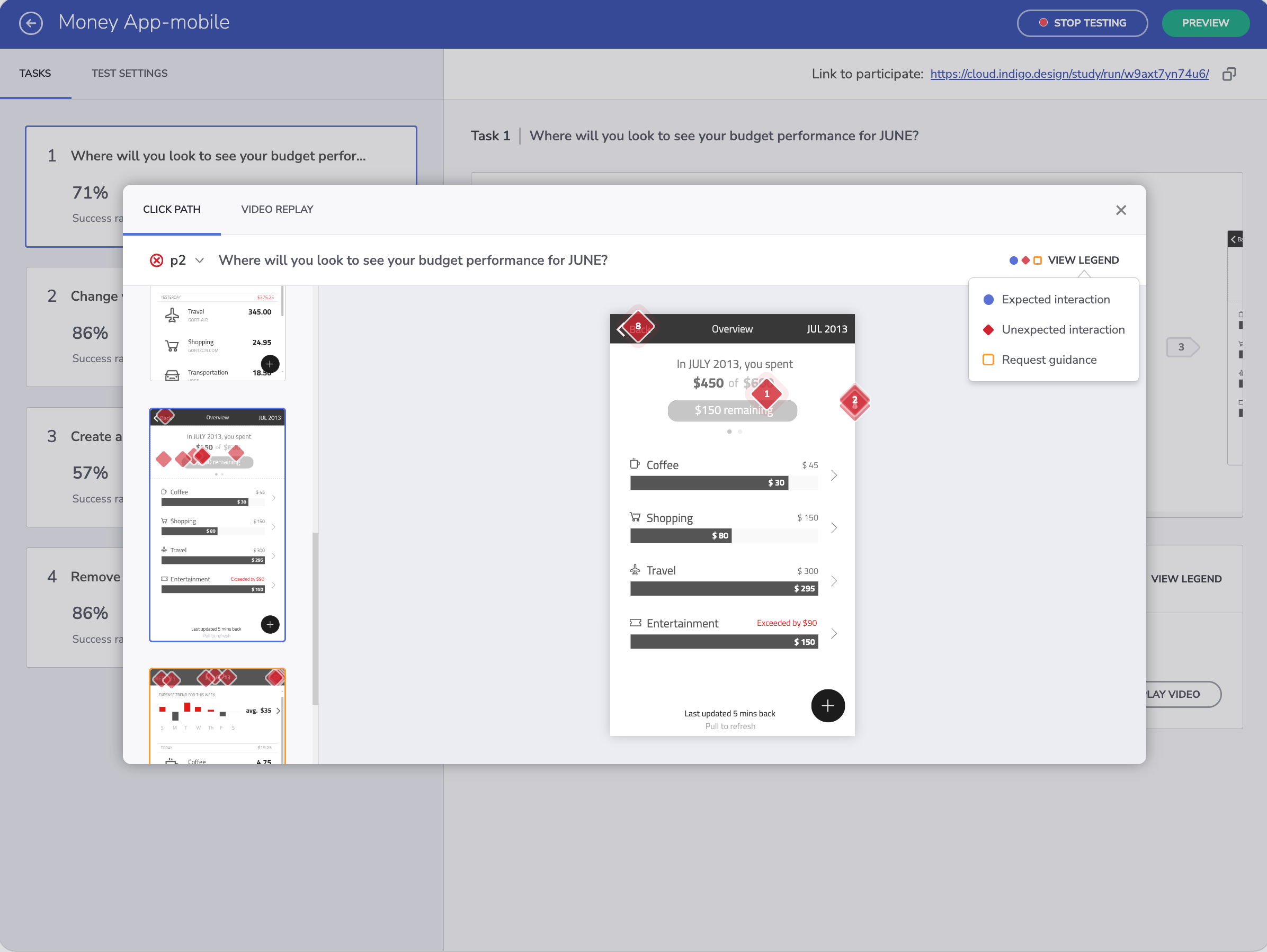
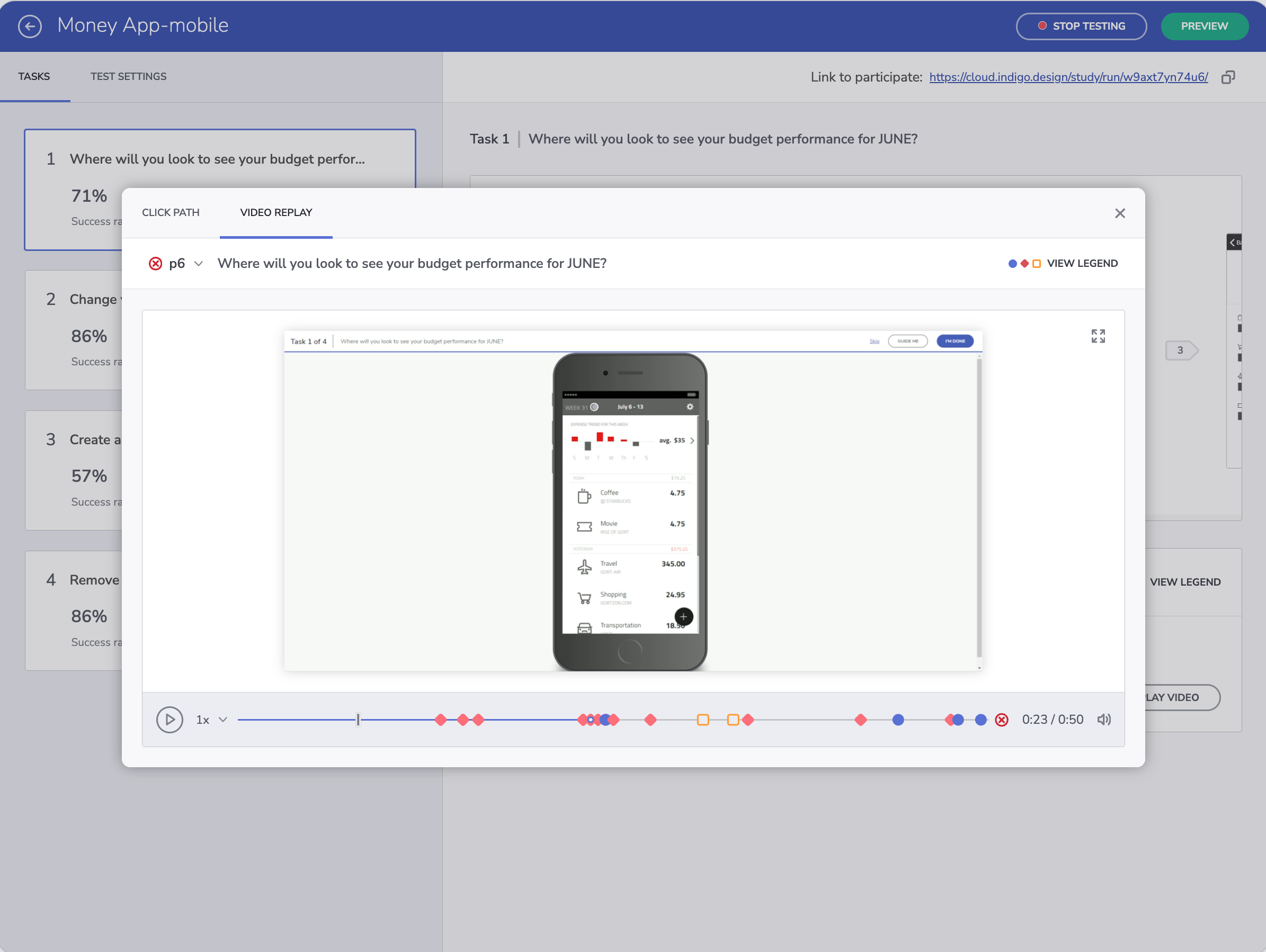
The original goal was video session replay. Video needed setup and participant opt-in, though, and dozens of recordings produced more footage than anyone could watch. I moved the product toward static reports instead: funnel metrics and timeline-based click maps that let moderators find problem areas by scanning visualizations rather than watching footage. Video stayed available when participants opted in, but the reports became the default, since there was nothing to set up and nothing to sit through before the problems showed.
An upload-based testing flow: teams could test any existing app screen without building a native prototype first, opening up research to teams who'd never done it before.